CEntrance is
a trademark of CEntrance, Inc. The Stylized ID symbol is a trademark
of CEntrance, Inc. All rights reserved. Windows is a trademark
of Microsoft Corporation. FireWire is a trademark of Apple Computer.
Other trademarks are property of their respective owners.
Measurement Instructions
1) Experiment with the control panel of your ASIO
driver to determine the lowest settings, at which you can still
get clean sound on recording and playback (no audible clicks,
pops or glitches).
2) Use a patch cable to connect the analog input
of your recording interface (sound card) to its analog output.
Any pair of inputs/outputs will do. Turn down the speakers for
this test, as the system will produce a short, loud pulse.
3) Select the device driver you would like to
test from the drop down menu of the LTU and select the input
and output channels you have physically connected together in
Step 2.
4) If available, the device driver's control panel
window will appear. Select the sample rate and buffer settings
you determined in Step 1.
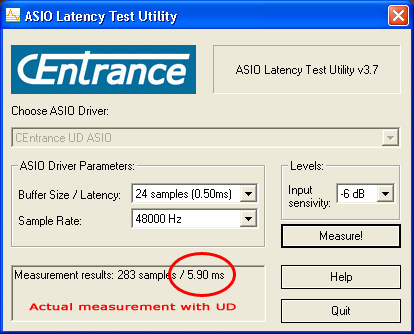
5) Click on the 'Measure!' button. The analog
round-trip latency will be displayed at the bottom left corner
of the window.
Disclaimer: LTU is provided AS IS and with no
warranty of any kind. By downloading this application
you agree to take full responsibility for its use,
and assume all risks in connection therewith. Be
careful with those ears. LTU will make a loud pulse
during the test. Turn the speakers down when measuring!